


Block Craft 3D:Building Game
4.576.75K Reviews
App Specs
- Version
- 4.9.1
- Updated On
- License
- Free
- Downloads
- 500,000,000+
- Developer
- Wildlife Studios
- Categories
- Arcade
- Platform
- Android, iOS
Screenshots
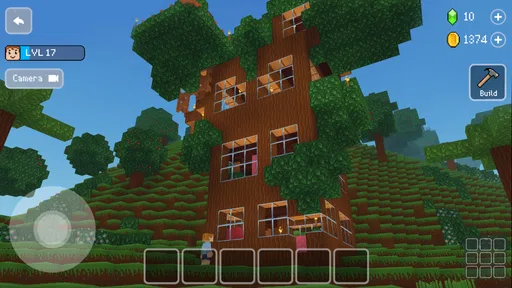
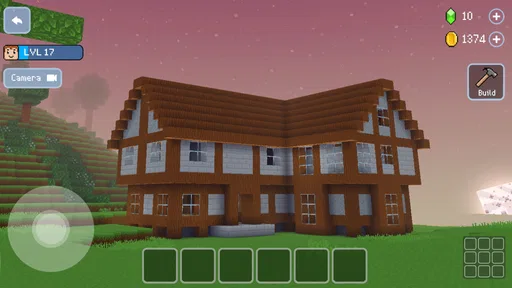
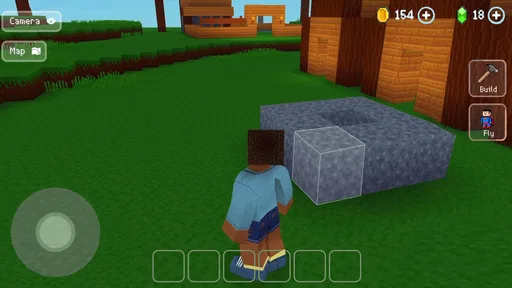
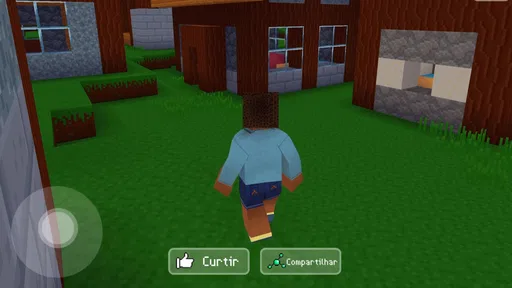
 Analysis by AppCompare
On a short break, a blank plot and a handful of blocks can be more appealing than a game that asks me to learn a complicated system first. That immediate, hands-on appeal is what makes Block Craft 3D: Building Game easy to pick up: I can start shaping a little corner of a city and enjoy seeing it take form without turning the session into a demanding project.
A quick creative break, not a race
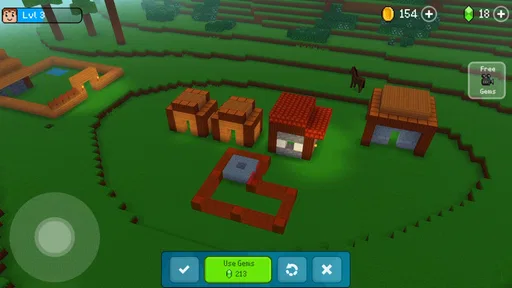
The first minutes are easy to understand: choose building pieces, place them, and watch a structure emerge in a bright, blocky setting. That simplicity suits the arcade side of the game. I don’t need to memorize a long chain of actions before I can make something recognizable, so it works well when I only have a few minutes and want a clear payoff.
The pleasure is in making a space feel intentional. A few matching materials can make a small building look planned rather than like a random pile, and deciding where to leave an opening or change the shape gives even a modest project a personal touch. I’d start with one compact idea—a home, a shopfront, or a simple landmark—rather than trying to map out an entire city in one sitting.
Guides and Analysis on Block Craft 3D:Building Game
That small-project approach is useful on a bus ride or while waiting for an appointment. I can make one visible change, look at the result, and stop without needing to finish a large objective. It also gives me a practical way to return later: leave the next decision obvious, such as which side of a building needs a roof or where a path should continue.
Where the session rhythm works best
Unlike arcade games built around rapid retries, scores, and pressure, this is a more relaxed kind of play. The action is not about reacting quickly; it is about choosing what to build and enjoying the visual result. That makes it a good fit when I want a calm game rather than another challenge demanding all my attention.
The trade-off is that a creative session depends on my own ideas. If I open the game with no plan and expect it to supply a strong objective every time, I may spend more time deciding what to do than actually building. I get more out of it by setting a tiny goal before I start: finish a roofline, add a recognizable entrance, or make two buildings look like they belong on the same street.
It is also worth distinguishing a satisfying short session from a long one. A little construction can feel rewarding quickly, but large builds call for patience and repeated decisions. The game is at its best for me when I treat those as separate visits rather than assuming every play session needs to produce a finished city.
Worth Reading Before You Choose

Baby Panda World Brings Quick Play to Modern Phones, but Its Game Library Feels Busy

ESPN’s Live Game View Makes Following Close Games Easier

QuizzLand Review: A Good Fit for Short Trivia Breaks, Not Every Player

Basketball Stars: Multiplayer Is Fast, but Can It Recover When Matches Go Wrong?

WEBTOON Turns Phone Updates Into a Better Reading Routine

Link to Windows Runs on Shared Habits, Not Social Feeds
Easy to leave, easier to revisit
One reason this style suits casual play is that it does not frame every moment as a timed test. I can approach building at my own pace, which makes it less stressful than action games that punish a pause or demand uninterrupted concentration. When life interrupts, the creative idea can be small enough to remember: finish the wall, balance the front, or decide what the next building should be.
For a realistic everyday routine, I might open it during a quiet break, add a few details to one structure, then return in the evening with a clearer idea of what the street needs. That kind of stop-and-start use works better than beginning an ambitious project when I have only a moment to spare. It also keeps the game from feeling like homework: I can leave a build imperfect and come back because I want to, not because a timer says I must.
The freedom can still become a source of friction. With no urgent task pushing me forward, I have to provide the direction myself, and an unfinished idea can feel aimless if I return without remembering its purpose. A simple habit helps: before closing the game, pick one next step. That small mental bookmark makes the next visit quicker and more satisfying.
Building Your World, One Block at a Time
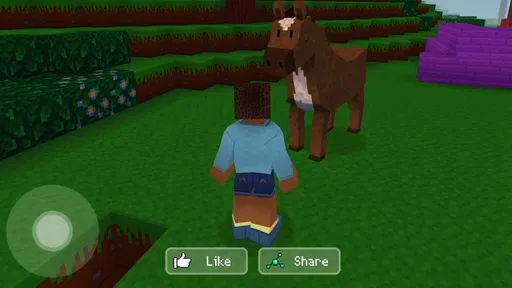
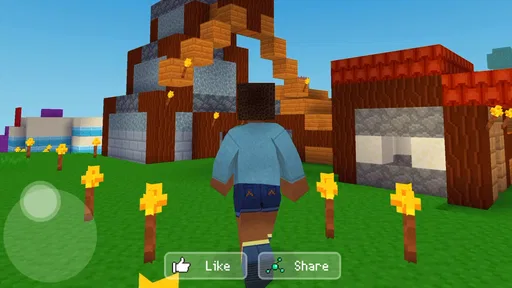
So, you fire up Block Craft 3D and right away, you're thrown into this vibrant, blocky world. It's like stepping into a simplified version of Minecraft, but with its own unique charm. The controls are intuitive, which means you’ll get the hang of it in no time. You start by selecting blocks from a variety of options – think wood, stone, glass, all the good stuff.
What really grabbed me was the freedom. You can go nuts building houses, castles, even entire cities. You're not just plopping blocks randomly; there’s a sense of accomplishment when you see your creations come to life. And let me tell you, the satisfaction of finishing a building is unbeatable. You might even find yourself saying, "Just one more block," and suddenly it's 2 AM.
Community and Creativity
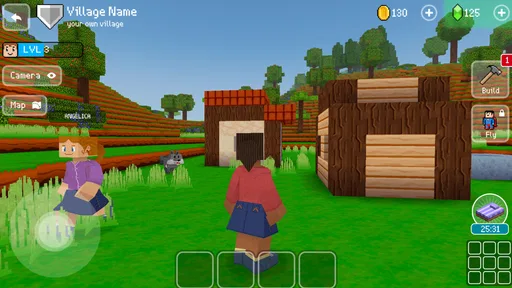
One standout feature is the community aspect. You can visit other players’ creations, which is a great way to get inspired or just marvel at how creative people can be. Sometimes I find myself wandering through someone’s virtual world and thinking, "Why didn’t I think of that?" It’s a whole universe of creativity waiting to be explored.
Plus, you can show off your own masterpieces. The social interaction isn't just a nice bonus; it adds a whole new layer to the game. You could say it's like a virtual block party. Who doesn’t love a good party?
When a different kind of game is better
If you're looking for a game with hardcore challenges, this might not be your cup of tea. Block Craft 3D is more about relaxing and creating at your own pace. There are no pesky enemies or ticking clocks pressuring you to complete tasks. It's all about the joy of building, which makes it perfect for winding down after a long day.
However, some might find the lack of challenges a bit of a drawback. If you’re someone who thrives on competition, you might miss that element here. But hey, sometimes you just need a game that lets you chill and express yourself without any stress.
What I’d want to know before downloading
For someone choosing between this and a more demanding building game, the key difference is the kind of attention each asks for. A survival-focused block game is a better fit if you want resource pressure, threats, or a reason to keep reacting. A fast arcade title is better when you want a score chase and quick rounds. This one leans toward the pleasure of shaping a place at a relaxed pace, so I’d choose it when making something matters more than winning.
It is free to play, and it comes from Wildlife Studios. The game has a 4.5 average from around 2.8 million ratings, with over 500 million installs. Those figures suggest a very broad audience, but popularity does not make its quiet, self-directed style right for everyone. It is rated Teen, and the current version is 3.22.0; the minimum operating system is Android 6.0. Optional in-app purchases range from $0.99 to $119.99 per item, so I would check the purchase prompts carefully and avoid treating every available option as necessary to enjoy building.
One useful way to judge whether it suits you is to try a modest design rather than aiming for a grand city straight away. Build a recognizable front, then see whether choosing details feels satisfying or fiddly. If you enjoy refining a shape and returning to it, the open-ended format has room to hold your interest. If you mainly want clear missions, head-to-head competition, or a steadily increasing challenge, the same freedom may feel like a lack of direction.
I’d also use visits to other players’ creations as a source of ideas, not as a standard I have to match. Looking closely at how someone uses a simple outline or groups buildings can give me a starting point for my own work. The trade-off is that browsing can become a substitute for building; when I notice that happening, I pick one detail I liked and try to reinterpret it in my own structure. That turns inspiration into a concrete next step instead of an endless tour.
A casual verdict on the city-building loop
In conclusion, Block Craft 3D: Building Game is a delightful way to kill time and unleash your creativity. Whether you're a seasoned builder or just looking for something fun to do on your commute, this app has something for everyone. It's like having a sandbox in your pocket, ready for whenever you need a little escape.
If you haven't tried it yet, give it a go. You might just find yourself getting lost in your own little blocky world. And remember, the only limit is your imagination – so go ahead and craft away!
My recommendation is narrow but genuine: I’d suggest it to someone who likes visual progress, low-pressure tinkering, and the freedom to decide what counts as a finished session. I would skip it if I needed a strong objective every time I opened a game, or if competition and demanding mechanics are what keep me engaged. Its appeal is the simple pleasure of making a place feel like mine, one small decision at a time.
Pros
- Colorful and engaging graphics.
- Frequent updates with new features.
- User-friendly interface for all ages.
- Creative freedom in building structures.
- Offline mode available for play.
Cons
- In-app purchases can be pricey.
- Limited multiplayer capabilities.
- Ads can be intrusive at times.
- Resource gathering can be tedious.
- Requires substantial storage space.
FAQs for Block Craft 3D:Building Game
What is Block Craft 3D: Building Game?
Block Craft 3D is a popular building simulation game available on both Android and iOS platforms. It allows players to unleash their creativity by constructing buildings, villages, and even entire cities using various blocks. The game offers a multiplayer mode, enabling players to explore and interact with each other's creations.
Is Block Craft 3D free to play?
Yes, Block Craft 3D is free to download and play. However, it does offer in-app purchases, which can enhance your gaming experience by providing additional features, building blocks, and customization options. These purchases are optional, and players can enjoy the game’s core features without spending money.
Does Block Craft 3D require an internet connection?
Block Craft 3D can be played offline, allowing you to build and explore without an internet connection. However, to access multiplayer features and visit other players' villages, an internet connection is required. This connectivity also enables you to share your own creations with the community.
What age group is Block Craft 3D suitable for?
Block Craft 3D is designed to be family-friendly and suitable for a wide range of age groups. The game’s simple mechanics and creative focus make it appealing to children, while its strategic building elements can engage older players. Parents can feel comfortable allowing their kids to play this game.
Can I customize my character in Block Craft 3D?
Yes, Block Craft 3D allows you to customize your character with a variety of skins and outfits. While some customization options are available for free, others can be unlocked through in-game achievements or purchased via in-app transactions. This feature adds a personal touch to your gaming experience.


